

How to create personalized donor impact reports at scale
A practical guide to producing a personalized stewardship report for every donor and fund: what data you need, how to design one template that adapts, and how to review hundreds of reports without rebuilding them by hand.
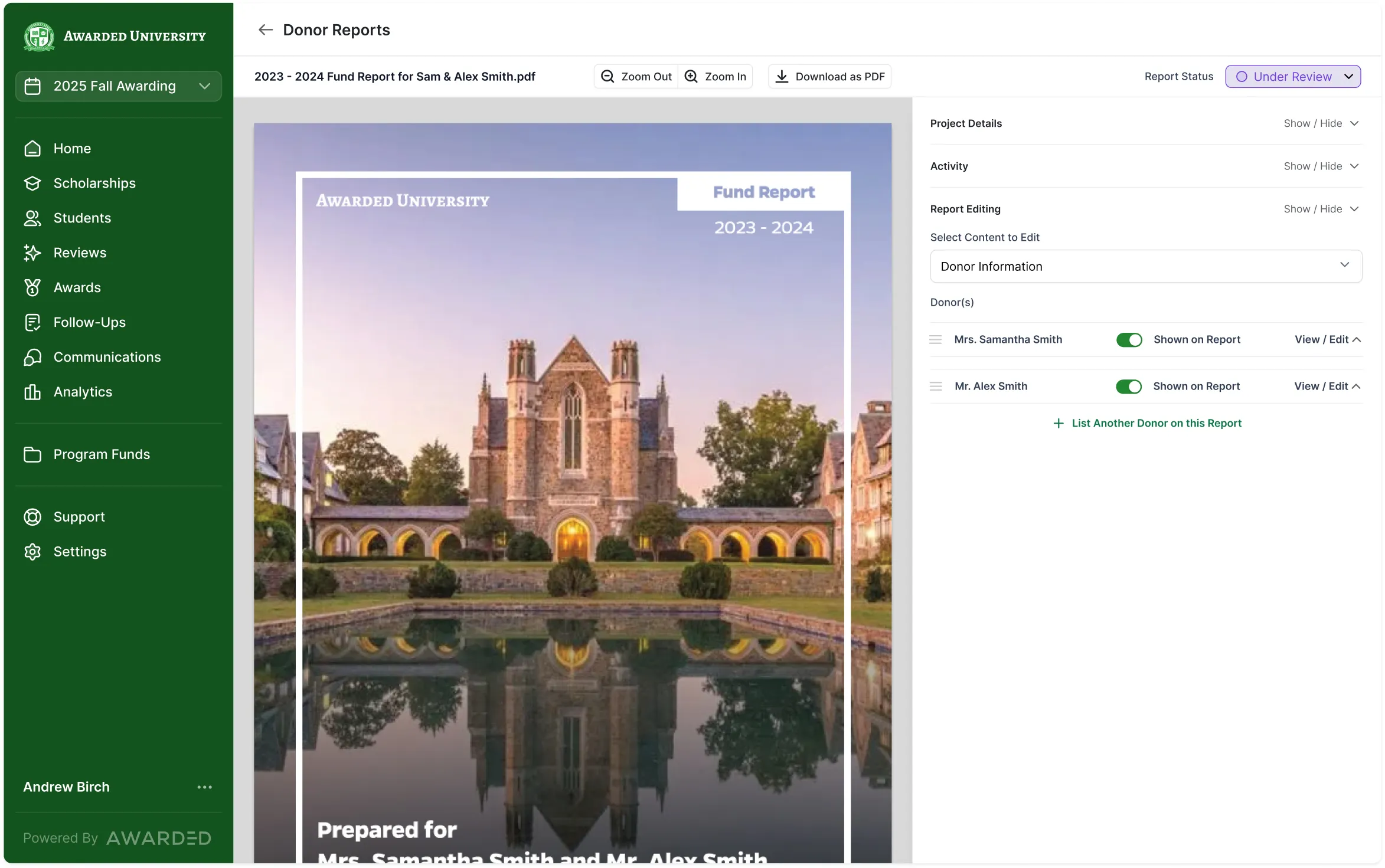
To create personalized donor impact reports at scale, treat the report as data plus one adaptable template. Gather four data sets (donors, funds, financials and recipients), match them by fund, design a single template with branches and conditional wording, collect student stories through surveys, then review and send each report as a PDF, email or microsite.
Most teams start the other way around. They open last year’s InDesign file or Word mail merge, copy in new numbers and swap student names one report at a time. That works for 40 donors. It breaks at 400, and it breaks badly for a donor with five funds across three colleges.
Start with the donor experience you want
Decide what each donor should receive before you touch data or design. The most useful questions are simple:
- One report per donor or one per fund? Most institutions consolidate: a donor with three funds gets one report with a section for each fund. Some send one report per fund because gift officers prefer it.
- Financials and impact together, or separate? Some send one packet a year with fund statements and student stories side by side. Others send a financial endowment report in the fall and an impact report in the spring. Both are valid. See the donor reporting calendar for timing.
- Which funds are in scope? Endowed and non-endowed scholarships first, usually. Professorships, research and program funds often come later, with updates from faculty and fund managers instead of students. See professorship and program fund reports.
- Print, PDF or microsite? Store each donor’s preference so the right version goes to the right person.
Write the answers down. They become the template’s specification.
Gather the four data sets
Every personalized stewardship report is built from the same four data sets. Each usually lives in a different office.
| Data set | Typical source | What it contains |
|---|---|---|
| Donors | CRM (Raiser’s Edge, Blackbaud CRM, Salesforce and others) | Donor or household name as it should appear, CRM ID, the funds each donor is tied to, delivery preference, gift officer |
| Funds | Advancement or the foundation | Fund ID, fund name, description in plain language, endowed or current use, college or division |
| Financials | Finance or the foundation’s accounting team | By fund code: market value, book value, gifts, distributions, spendable amount, multi-year history |
| Recipients | Financial aid and the SIS | Which students received each fund, with major, class year and hometown where your policy allows |
The hard part is matching them. Finance may use one fund code, advancement another and financial aid a third. Before any design work, build a crosswalk so that every fund maps to its donors, its financials and its recipients. Expect to find funds with no donor of record, donors tied to closed funds and funds that finance reports but advancement doesn’t. Fix those in the source systems so they don’t return next year.
Send files as they arrive. Financials often land months after donor and fund lists, and there’s no reason to wait for everything before you start checking.
Design one template with branches
Personalization at scale comes from one master template that changes based on data. Building a separate design for each college does not scale. Typical branches include:
- By college or division: a different dean’s message, logo or cover photo, while shared pages stay the same.
- By fund type: endowed funds show market value and distributions; current use funds show amount given, amount spent and balance. See non-endowed and current use fund reports.
- By donor level: leadership donors get an extra page or a personal note from a gift officer.
- By content available: a page of student stories when students wrote back, a recipient roster when they didn’t.
Most institutions end up with one template per report type (financial, impact, perhaps non-scholarship funds), each with several branches.
Keep static and variable content separate. Static pages (a leadership message, institution-wide figures, a short endowment summary) are written once. Variable elements (donor name, fund statements, recipients, stories) fill in from data.
Write conditional wording for the edge cases
Conditional wording is what separates a personalized report from a mail merge. Write it into the template once, so nobody edits PDFs by hand later. Common cases:
- The donor has one fund or several. “Your scholarship” versus “your scholarships.”
- A fund supported one student or many. With one or two recipients, give each a full profile. With twenty, switch to a roster of names and majors and feature two or three stories.
- No student responded. The leadership message shouldn’t promise “the stories in these pages” if there are none. Swap in a sentence that thanks the donor and lists the students supported.
- The fund wasn’t awarded this year. Explain why, plainly, and say what happens next. This case deserves its own playbook: see what to put in a donor report when a fund wasn’t awarded.
- The student didn’t consent to sharing. Respect it. Count the student without naming them, or use first name and last initial, according to your policy.
Collect stories throughout the year
Impact content is the slowest input, so start early. Send students a short survey by text and email as soon as awards are accepted, with reminders on a schedule. Students answer in the survey itself; the texts and emails carry the link and the reminders. Ask for a photo and two or three specific questions (our list of 33 student gratitude questions is a good starting point).
For professorships and program funds, send a similar contributor survey to faculty and fund managers.
Text reminders make a measurable difference. Johnson University saw 40% more thank-you responses after adding text reminders. For more ideas, see how to get more student thank-you notes.
Review in bulk, edit once
Review is where most of the hours go. A few habits help:
- Review responses before they reach a report. Approve or archive each student response, fix the photo and correct spelling and grammar once.
- Edit a story once. If a student’s story appears in several donors’ reports, an edit should update every report it appears in.
- Preview in the template. Reading a response in the actual page layout catches length problems early.
- Share review across offices. Development, financial aid and gift officers should see the same reports and leave comments in one place, so nobody works from an old PDF.
Johns Hopkins University cut its review of student responses for donor reports from about a week to 3 hours per cycle.
Deliver each report the way the donor prefers
Delivery is the last step and the easiest to get wrong at volume. Send print-ready PDFs to your printer or mail house for donors who want paper, email PDFs from your own address for others, and use microsites for donors who read on their phones. Record which version went to which donor, so gift officers know exactly what a donor received before their next visit.
How Awarded produces personalized reports
Awarded’s Donor Reporting Studio is built around this process. Awarded’s team designs your templates from your brand guidelines (or matches a report you already use), with branches by college, division or donor level and conditional wording for the edge cases above. You send donor, fund, financial and recipient files; our team reviews them and matches each fund to its donors, financials and recipients across offices’ fund codes. Student and fund manager surveys go out with text and email reminders, Awarded cleans up spelling and grammar, and your team approves each response. Reports go out as print-ready PDFs for your mail house, emailed PDFs from your address or microsites.
Colorado State University reports 94% fewer staff hours on donor reporting, Abilene Christian University spends 57% less time reviewing donor reports and the University of Hartford gets its donor reporting done in half the time. For the full set of report types, start with our guide to donor reports.
Frequently asked questions
What data do you need for a personalized donor report?
Four data sets: donors and their funds from the CRM, fund descriptions from advancement, financials by fund code from finance, and recipients from financial aid or the SIS. Student and faculty stories come from surveys.
Should a donor with several funds get one report or several?
Most institutions send one report per donor with a section for each fund. It gives the donor one complete picture and makes it easy for gift officers to know what was sent.
How do you personalize reports without designing hundreds of files?
Use one master template per report type with branches (by college, fund type or donor level) and conditional wording for cases like no recipient or no student response. Data fills in the rest.
How long does it take to produce personalized impact reports?
It depends on when financials close and when stories come in. The production step itself shrinks dramatically once data is matched and the template handles edge cases, because nobody is copying figures or editing PDFs by hand.
Amaan Badruddin is the CEO of Awarded Software, the scholarship management and financial stewardship platform used by 100+ campuses. He founded Awarded in 2022 to change how scholarships are awarded and managed across U.S. higher education, helping financial aid and advancement teams put donor funds to work and show donors their impact. He studied at Northwestern University and is based in Brooklyn, New York.
Follow on LinkedIn